[Nakagaki, Ikeda, YamaT]
We replaced V3 front-end computer at U13-14 of EY0 rack and V1 IO chassis at U18-21 of EY0 rack to V4 front-end computer and V2 IO chassis, respectively.
Real-time models could be launched but the 2nd DAC cannot be found from OS by some reason.
Today, we had no enough time to investigate what happen, so we will continue this work tomorrow.
-----
Power distribution trouble
Because it's hard to transport many large stuffs to EYC area via EYA booth, two V2 IO chassis (for EYV1 and EY0) and a V4 front-end server (for EY0) were moved to EYC area via mine entrance at Mozumi. V1 IO chassis at U18-21 of EY0 rack was replaced to one of these V2 IO chassis (S2416123). But Adnaco boards in IO chassis weren't driven even when main power switch was enabled. DC24V was surely supplied at the power supply board (ATX-M4), so it seems to be a malfunction of downstream of the power distribution board. According to Ikeda-san, he had never turned on this IO chassis before, so it may be an initial defect. Anyway we gave up to use it and used another IO chassis (S2416124) which would be used for EYV1 in future.
Timing lost issue maybe due to PEM speaker system
By using S2416124 with V4 front-end computer, real-time models could be launched. But we found soon that the timing synchronization didn't work because ADC#0_CH31 for timing duotone signal was contaminated by constant ~-4000ct signal. Though we tried to reboot models and/or the front-end computer in several times, it wasn't recovered.
During these trials, we noticed that the PEM large speaker output laud sounds when some stuffs turned ON and OFF. And also, when AI chassis connected with PEM speaker was turned OFF, PEM speaker output continuous sounds. Finally timing synchronization came back by unplugging DB9 cable of speaker output from AI chassis. Even when that AI chassis turned OFF, timing signal still lost if DB9 cable was kept a connection, so GND connection (shell or #5 pin of DB9) between the digital system and the speaker system seemed to be a cause of this issue.
By the way, a same speaker system also made a hang-up trouble on MCF rack in several times (klog#25343, klog#29433, klog#33565, etc.). It might be better to reconsider the design of how the speaker system is connected to the digital system. If this affects the timing, while a rough coincidence analysis might be possible, a coherence analysis is no longer reliable.
Missing PCIe card issue
After recovering timing synchronization, we noticed that the 2nd DAC (DAC#1) wasn't found by the IOP model. According to lspci command, OS also couldn't found the DAC#1. So it seemed an issue on hardware of common Linux not an issue on LIGO real-time software. Though EY0 had 3 ADC, 2 DAC, 1 BIO, and 1 BO, this configuration hadn't been tested in the test bench. So we doubted the card combination issue that was often seen with V1 IO chassis and removed 1 BO card in order to make a same configuration as EX0 that was successful in klog#36654. But DAC#1 was still missed.
As the next, to know which DAC card was assigned as DAC#1, we swapped two DAC cards (but we noticed soon we cant know by this method) and restarted the front-end computer. At that time, ADC#0_CH#30 shows a some response that is assigned for duotone loop back when DAC duotone was enabled. After then, to check the duotone loop back in the original configuration, we restored two swapped DACs and restarted. Then DAC#1 was found by OS and the IOP model though I have no idea why it came back.
Because DAC#1 came back, we also restored the removed BO card to back to the original configuration, then DAC#1 was missed again... We had no enough time to continue this investigation today. So this work will be continued tomorrow.
Thoughts
Swapping DAC and restoring BO were done without any SCSI and DB37 pin connection. So this issue is now related to only IO chassis or PCIe cards not related to the connection of circuits.
All used PCIe cards were just moved from V1 IO chassis to V2 one today. So if we didn't break them in today's work, PCIe cards themselves should be no problem. Only concern is that DAC#1 was damaged by speaker issue. We plan to take a spare DAC card tomorrow just in case.
If the configuration of EY0 (3 ADC, 2 DAC, 1 BIO, and 1 BO) has a problem, removing BO permanently may become a solution. It's a same config. of EX0, so it's a reasonable solution though the k1caley model must be updated. IX1 and IY1 have 3ADC, 3DAC, 5 BIO, and 1 BO, so using BO itself should be no problem. On the other hand, it's not so surprising there is a card combination issue (a number of each card type, used slot etc.) with V2 IO chassis because we faced such kind of issue with V1 IO chassis in the past. Of course, it may be a malfunction of used BO card, so a check with spare BO card is also necessary tomorrow.
If S2416124 has also a problem (accroding to Ikeda-san, it also hadn't been used in the test bench, so ), we must consider to restore to V1 IO chassis and V3 front-end computer. In this situation, schedule to use Mozumi entrance again (bring back to problematic stuffs and take new stuffs to EY again) is also serious concern.
Since today's results revealed insufficient tests in the test bench, we will likely need to reconsider and accelerate the operation of the test bench.
[Nakagaki, Ikeda, YamaT]
We could solve the issue of missing PCIe card by replacing DAC#2.
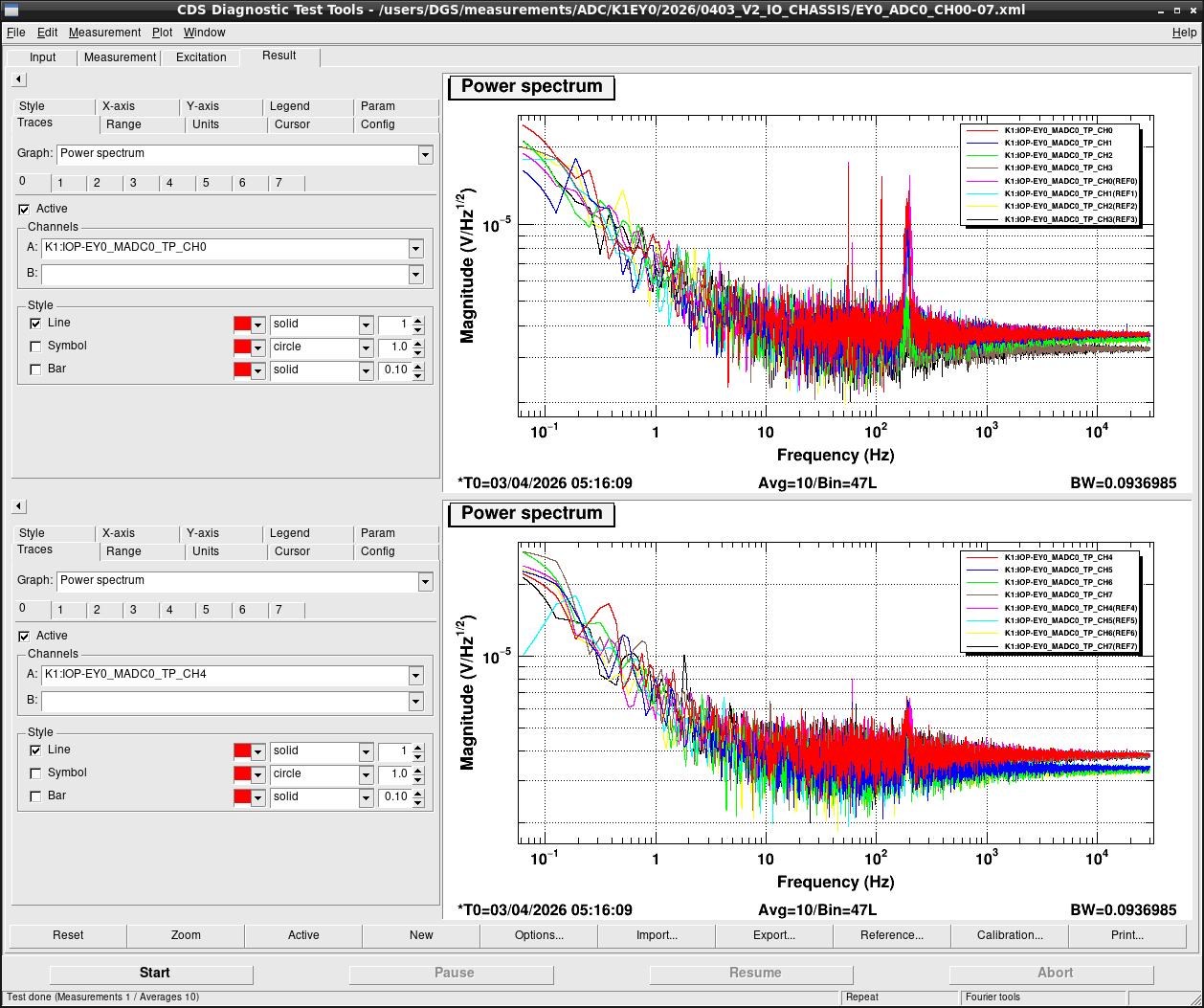
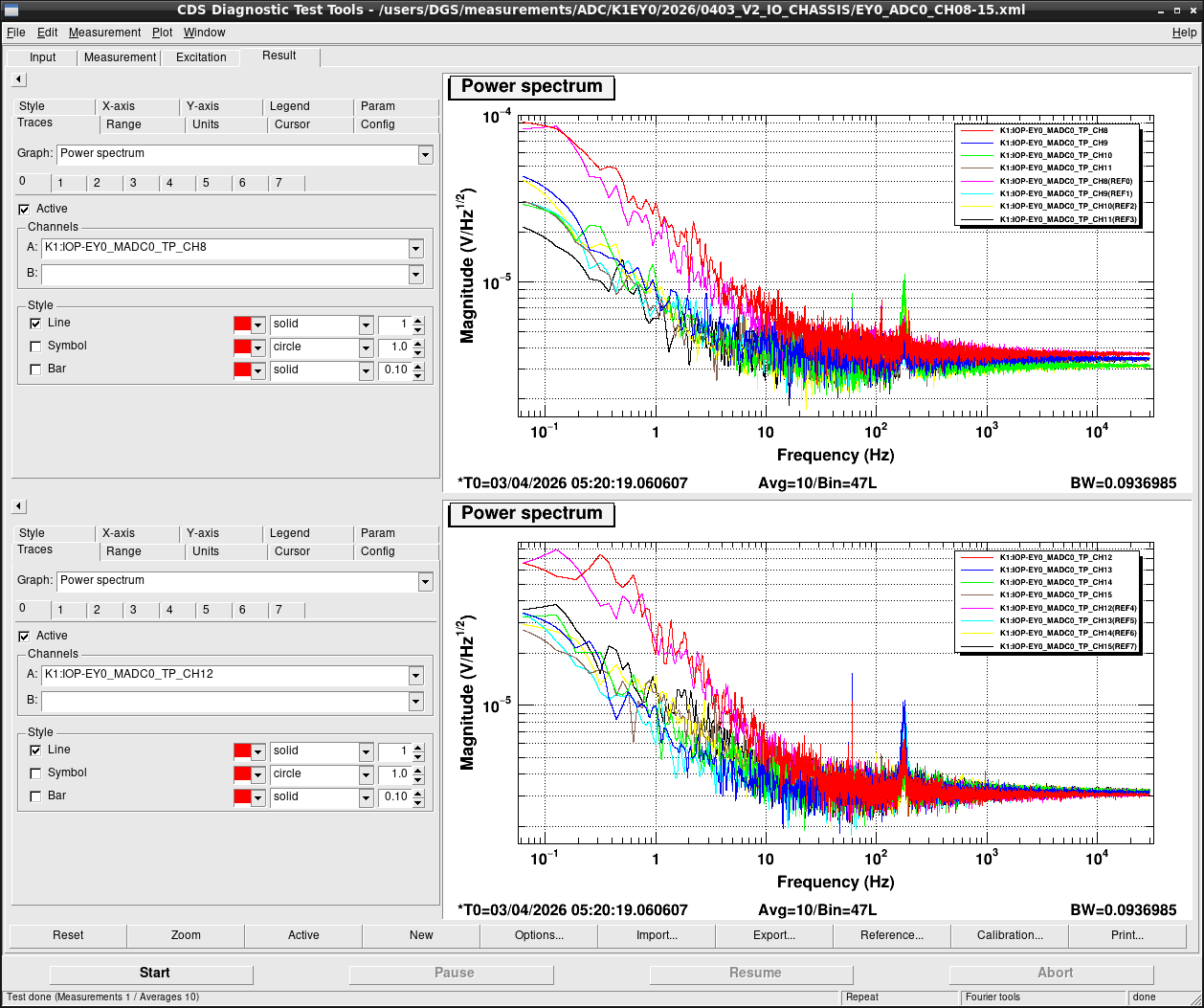
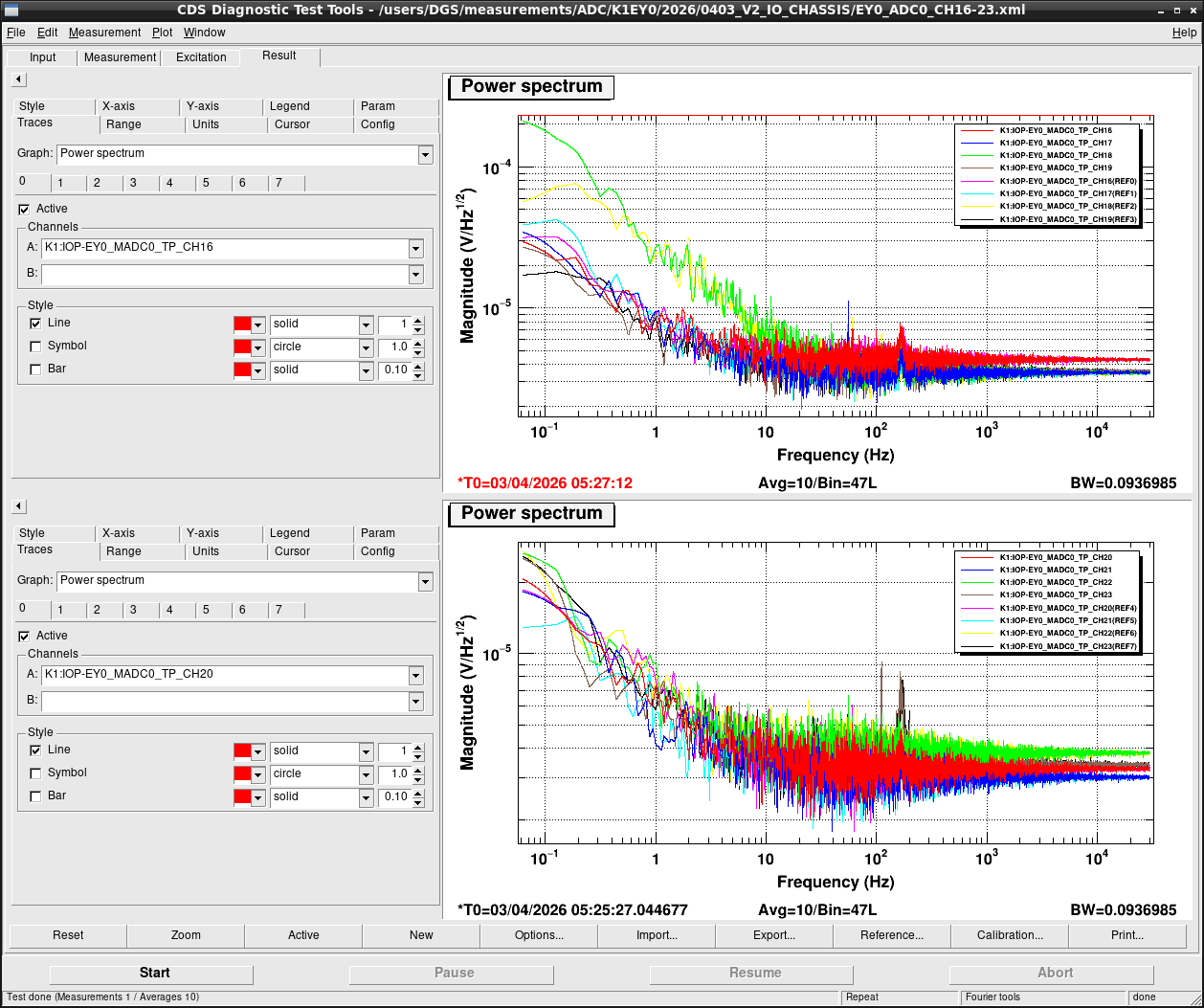
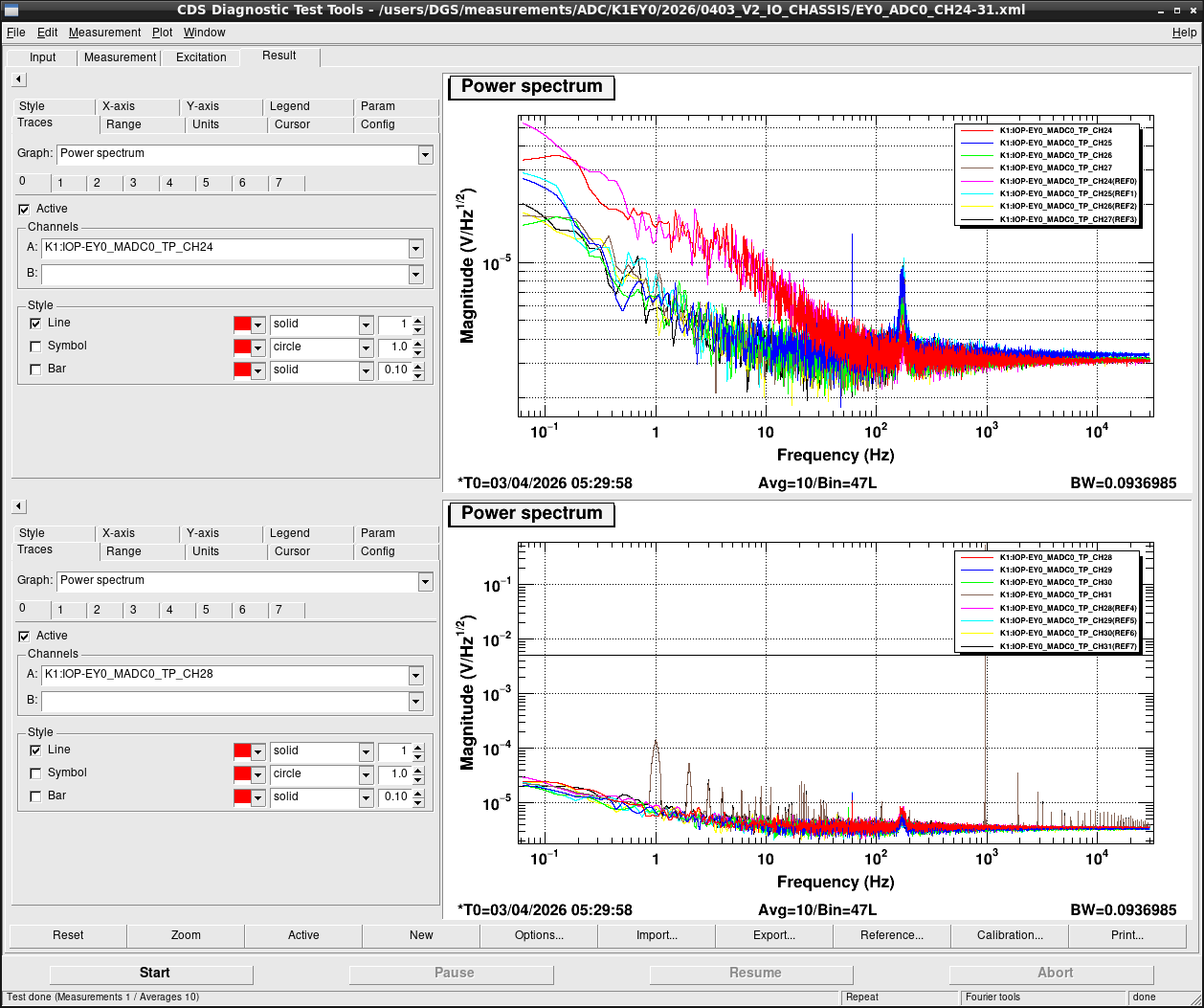
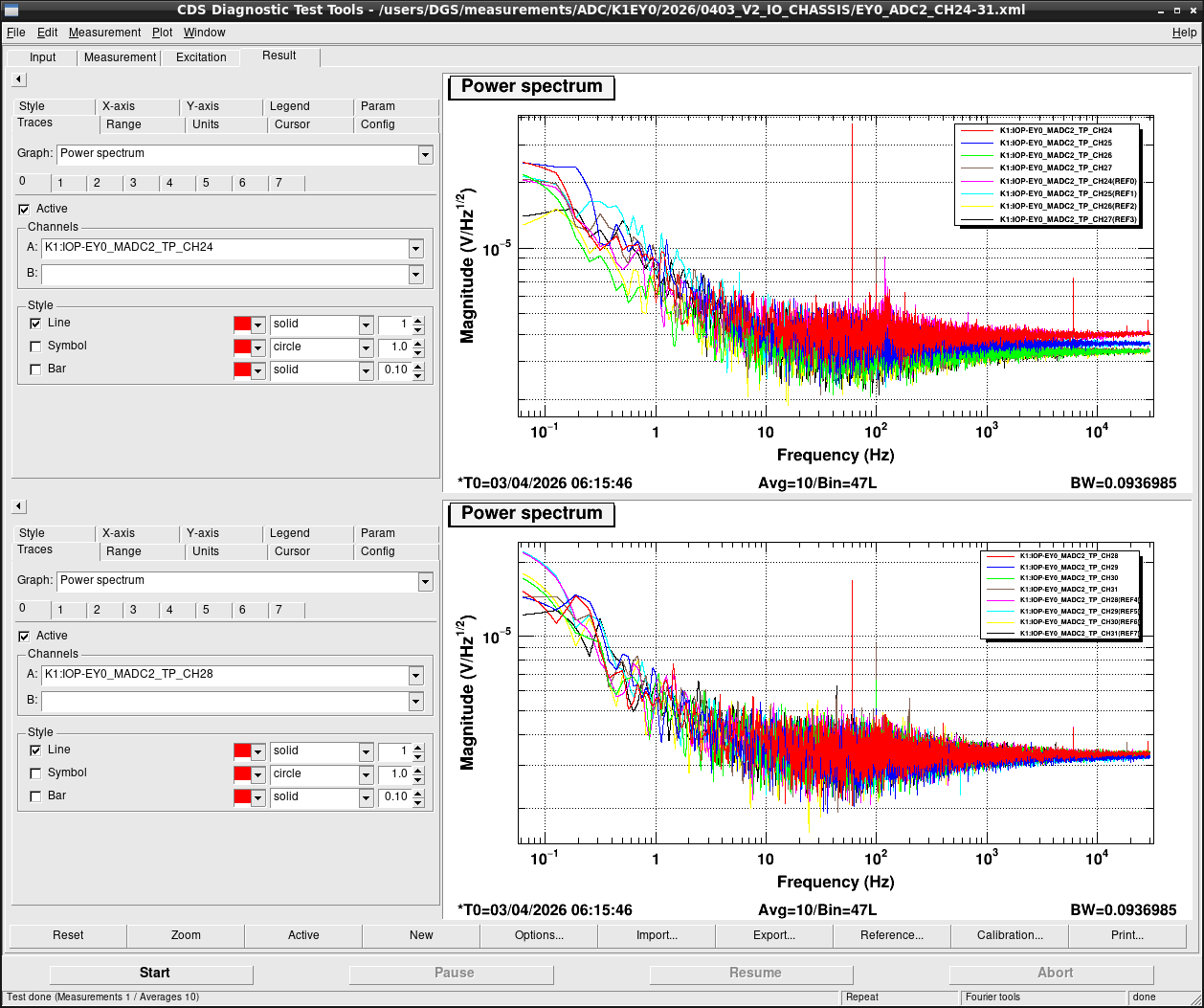
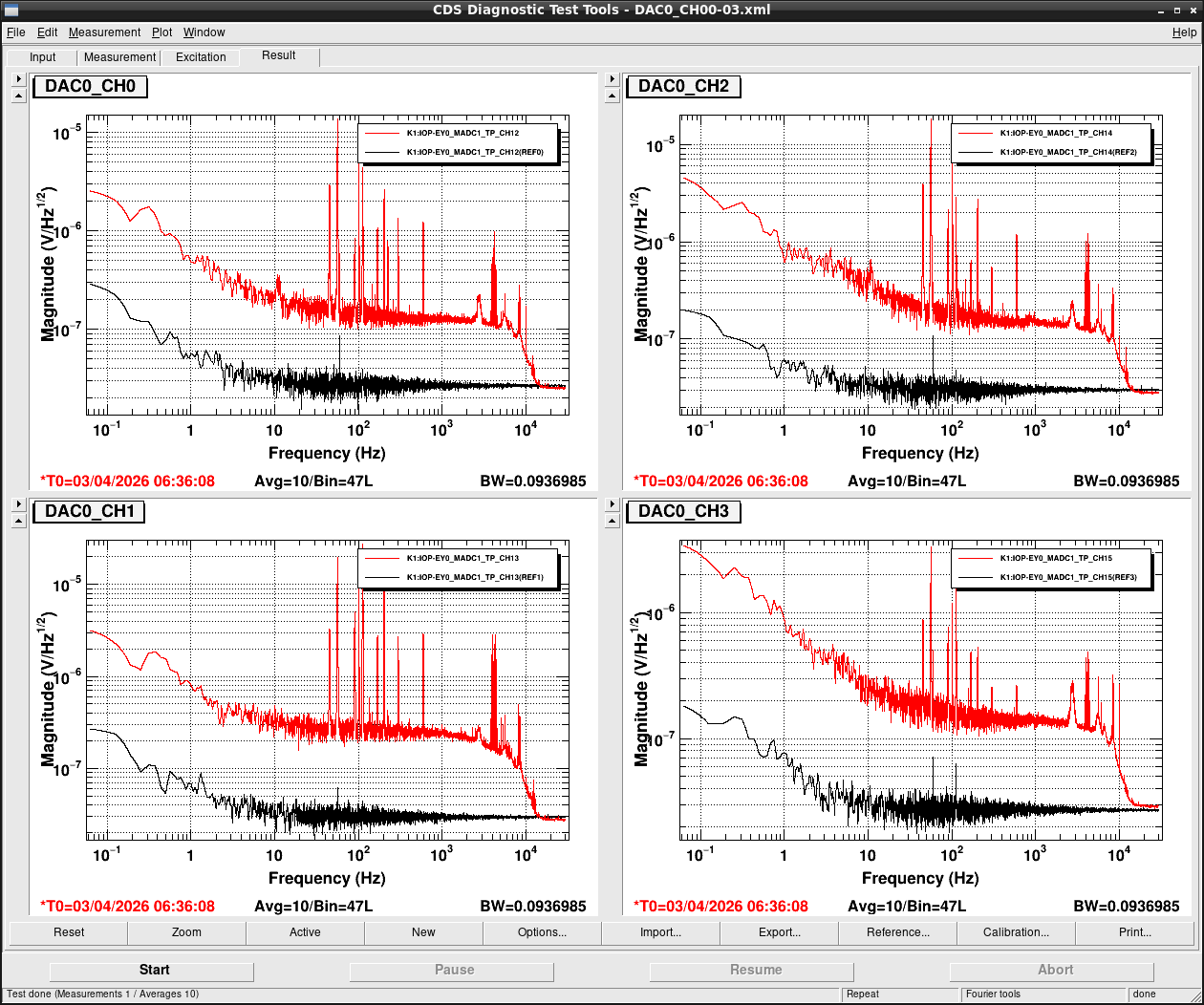
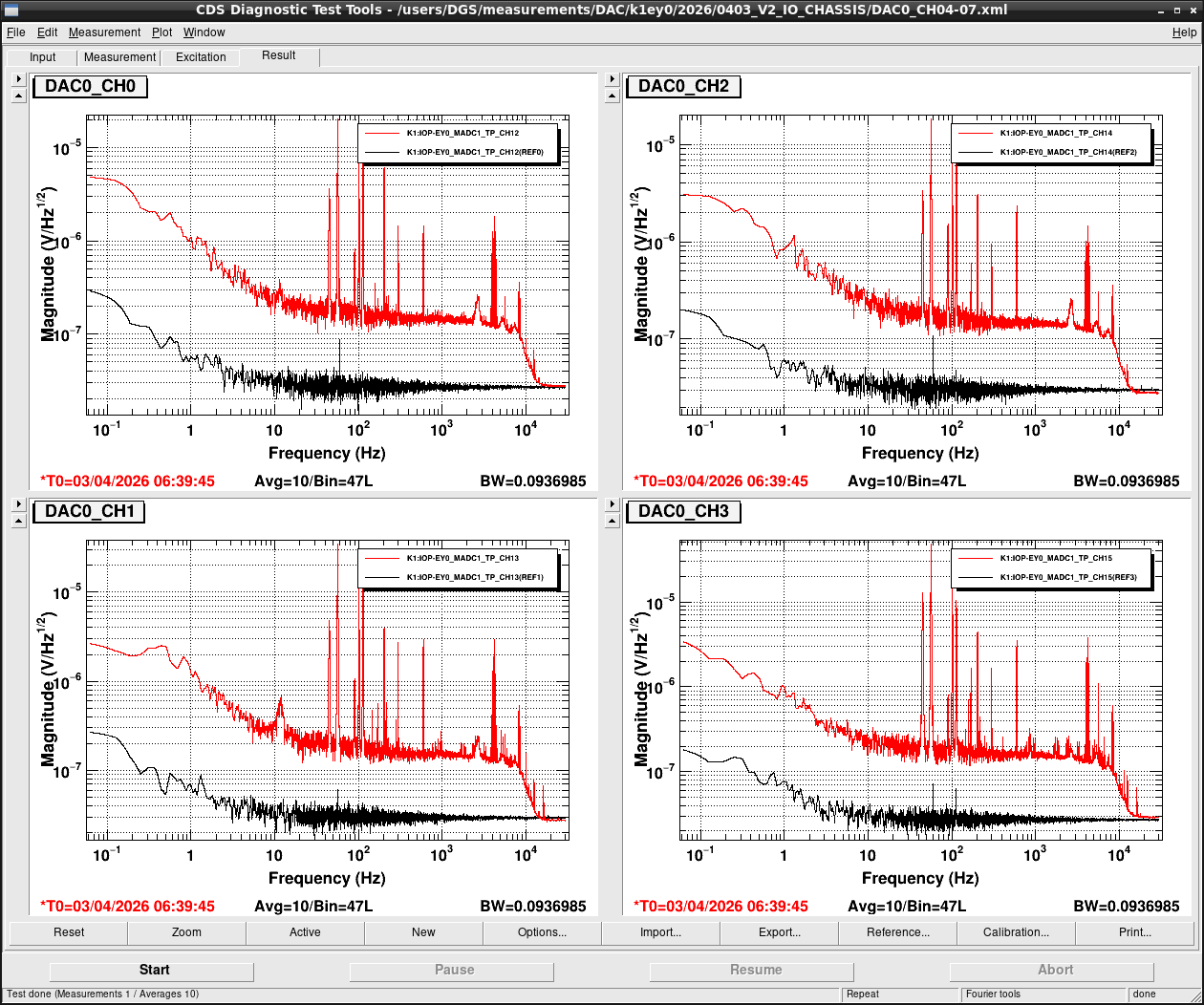
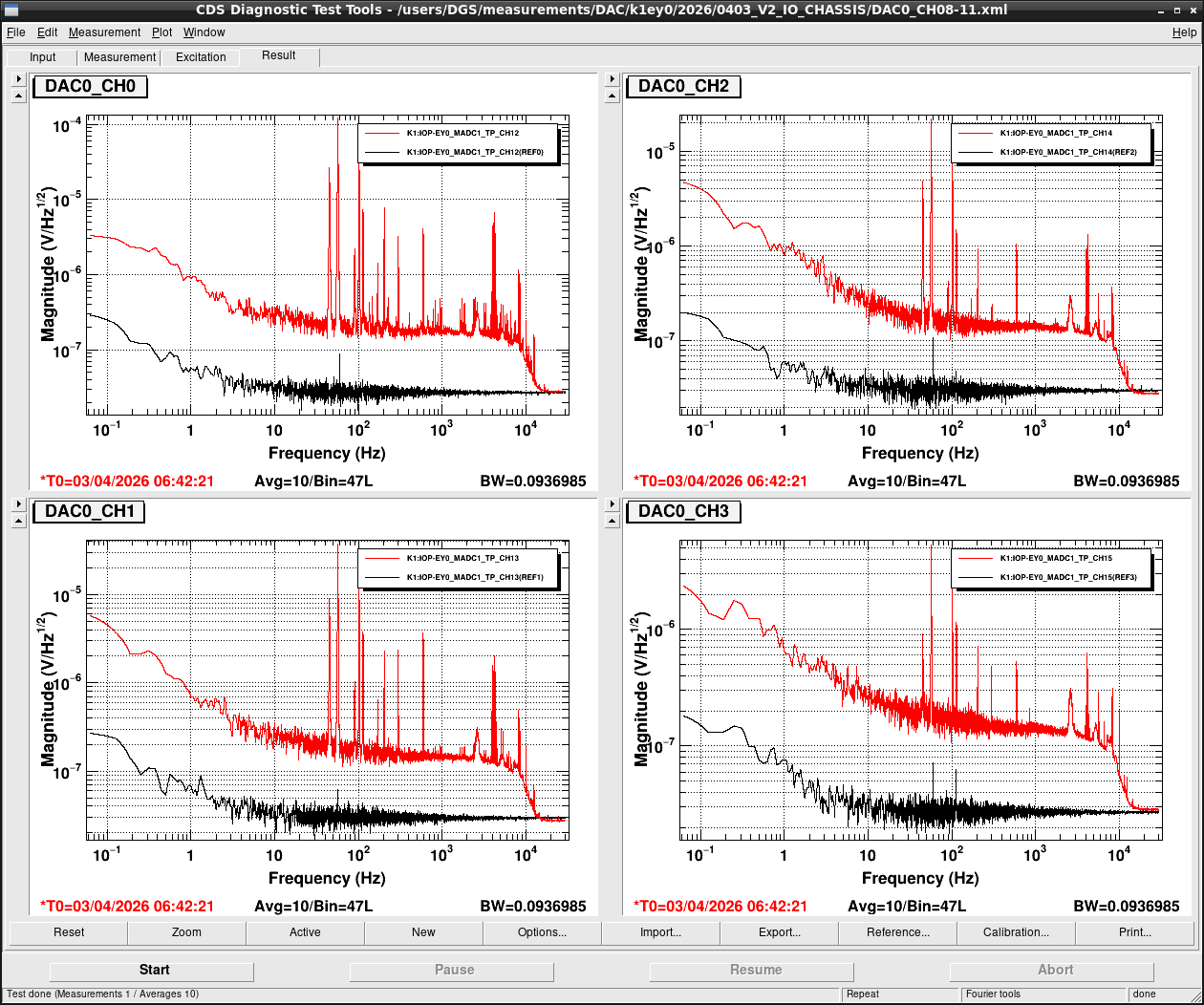
After then ADC and DAC noise were measured for all channels and finally k1iy0 came back online.
Note that PEM speaker output cable is now unplugged from AI chassis because timing synchronization cannot be recovered with plugging speaker.
Please connect it when it'll be used.
According to experience on MCF, after the timing synchronization is established once, it can be connected.
But it sometimes makes an OS hang-up, so it's better to be unplugged again after using.
-----
Solving missed PCIe card issue
Today, we tried to reproducibility of yesterday's situation at first by removing BO card and then swapping DAC#0 and DAC#1. But OS couldn't find the DAC#1. So we concluded that removing BO card is not an ensured way to operate two DACs. Next, we replaced DAC#1 from S1809372 to S2516731. Then, two DACs could be operated even if BO card was also installed and reproducibility was also verified by power cycles in several times. We haven't identified a reason why S1809372 didn't work properly. But we doubt two cases now and will check them on the test bench.
1. That DAC was just damaged by the issue of speaker.
2. LIGO firmware wasn't applied to that DAC. (It was not purchased by DGS. So we don't know a detail of it.)
Noise measurement
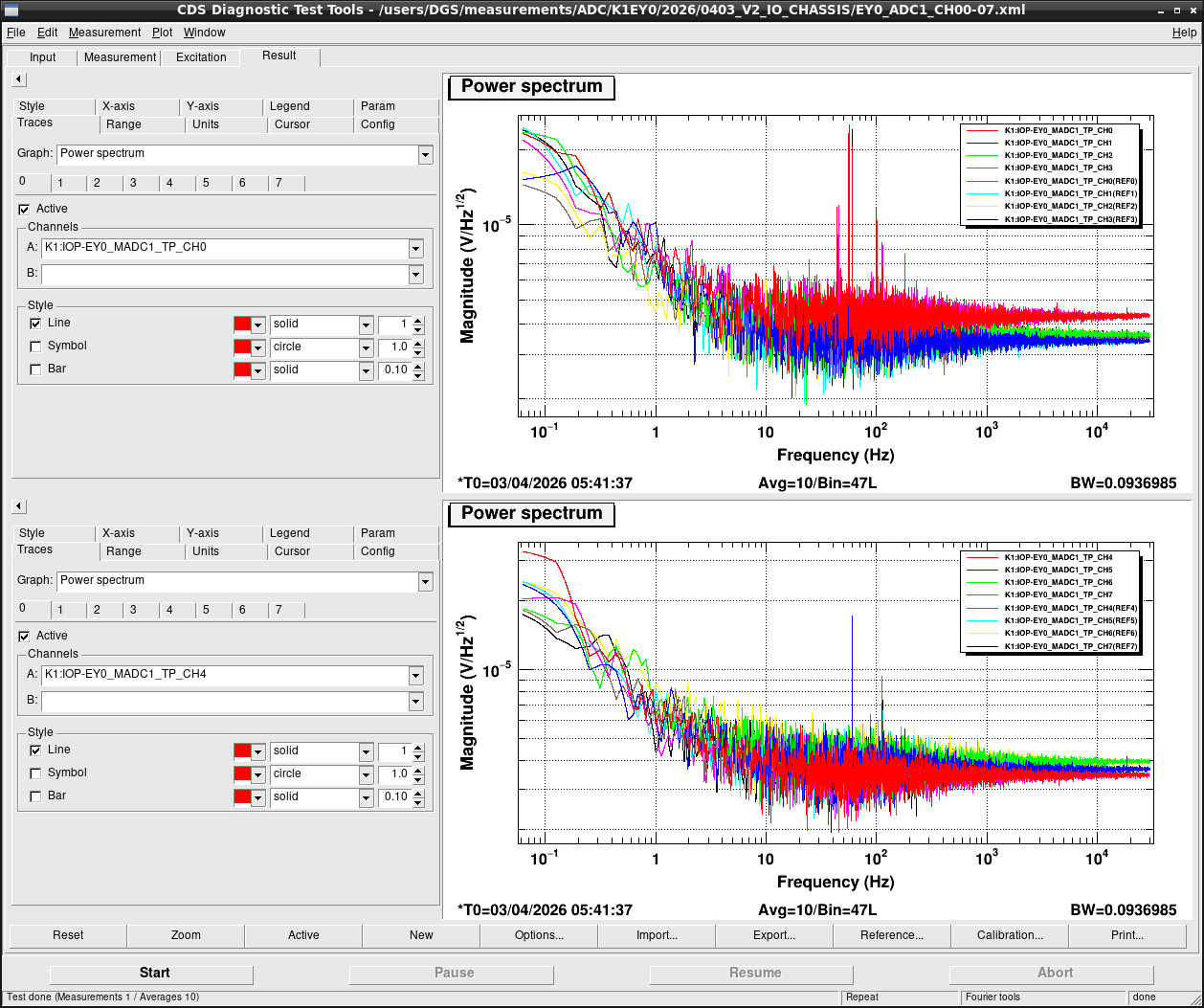
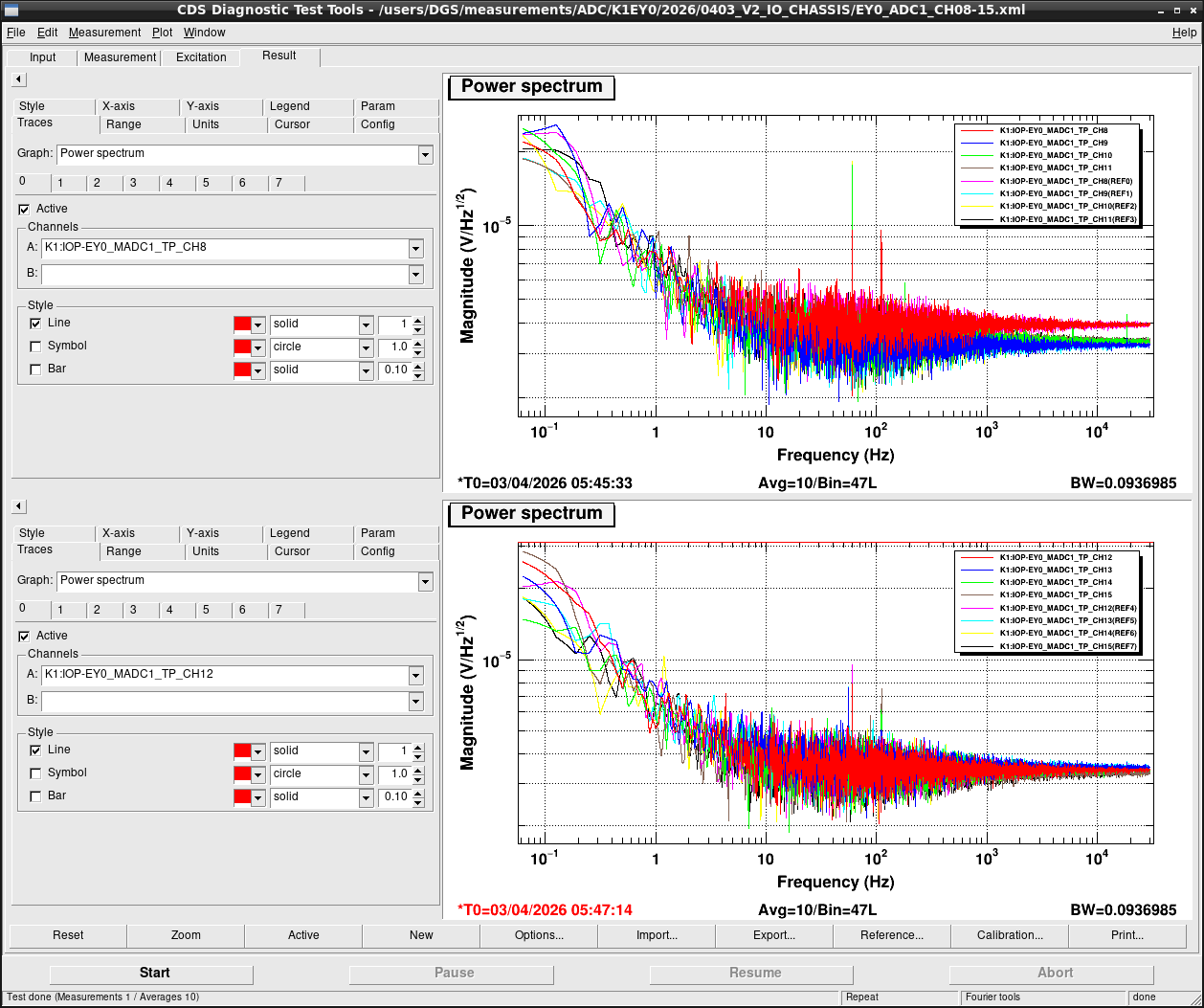
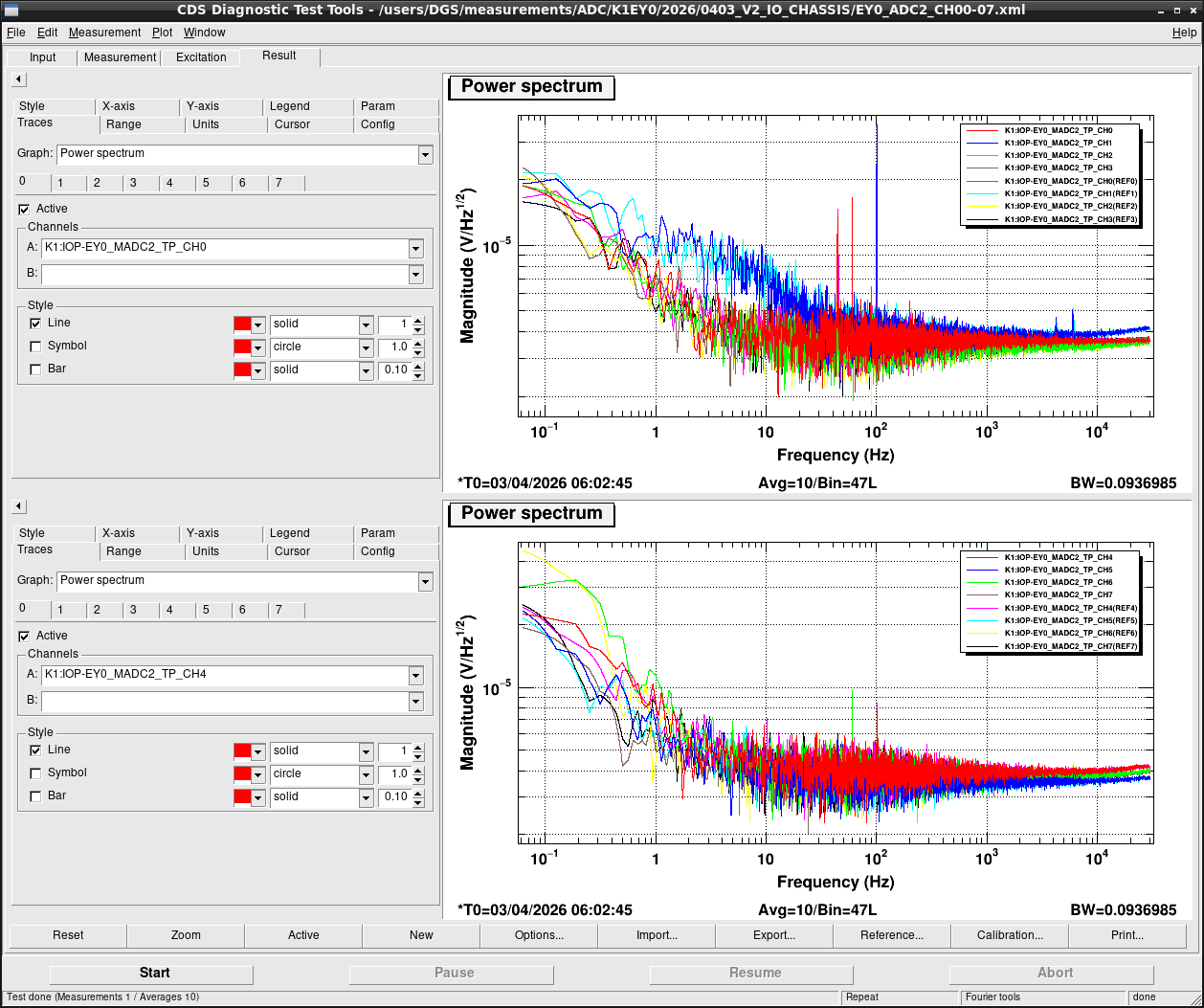
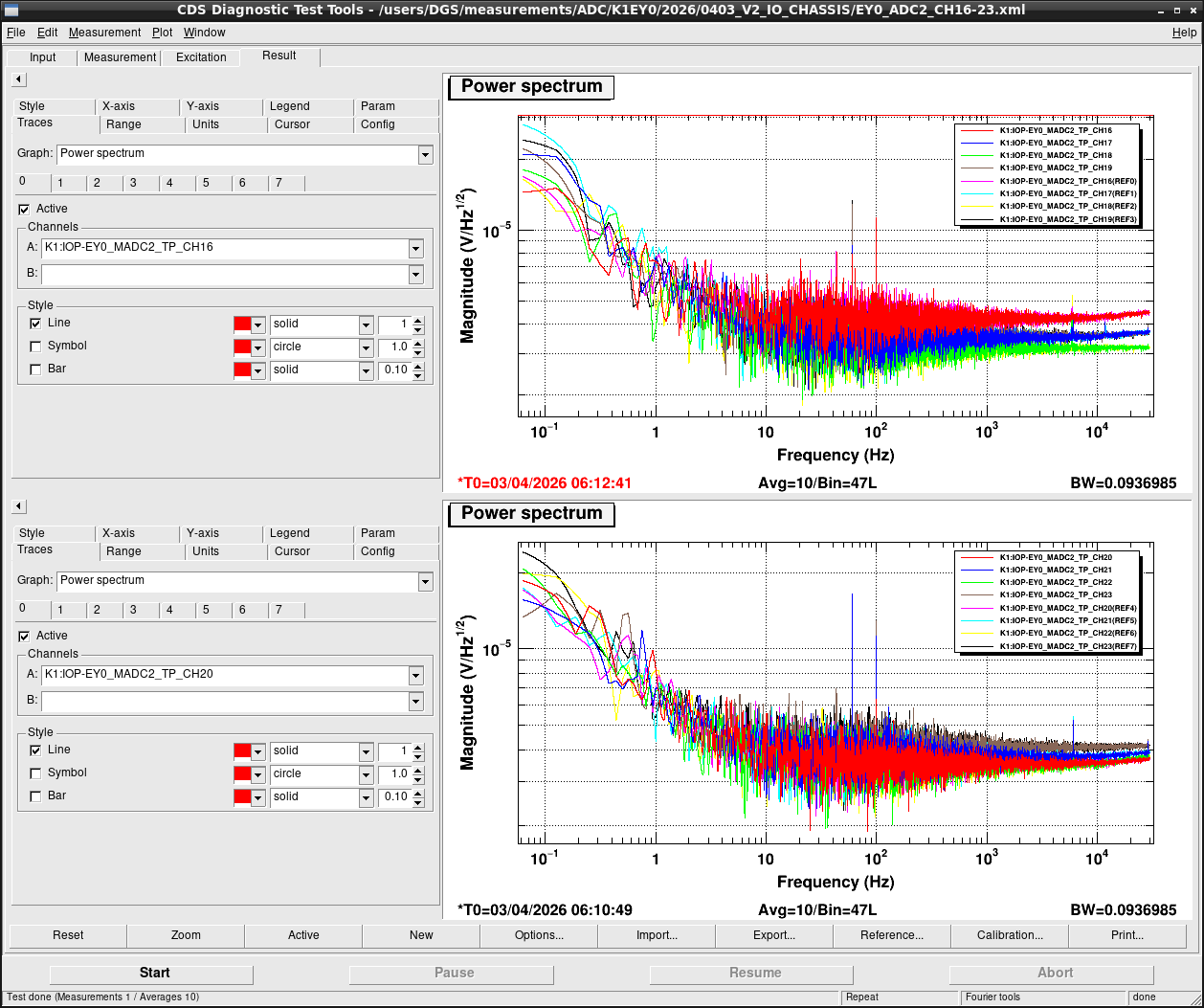
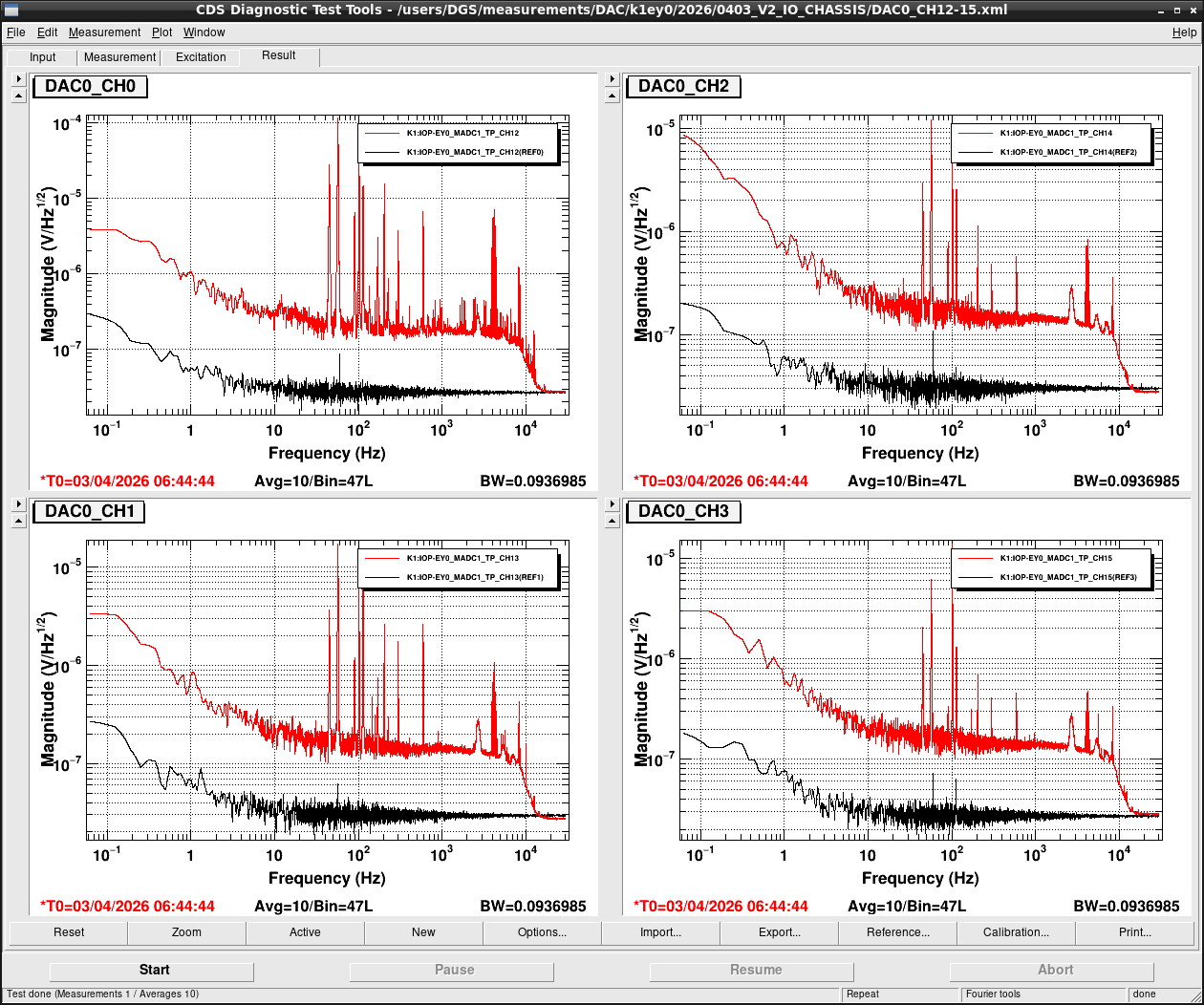
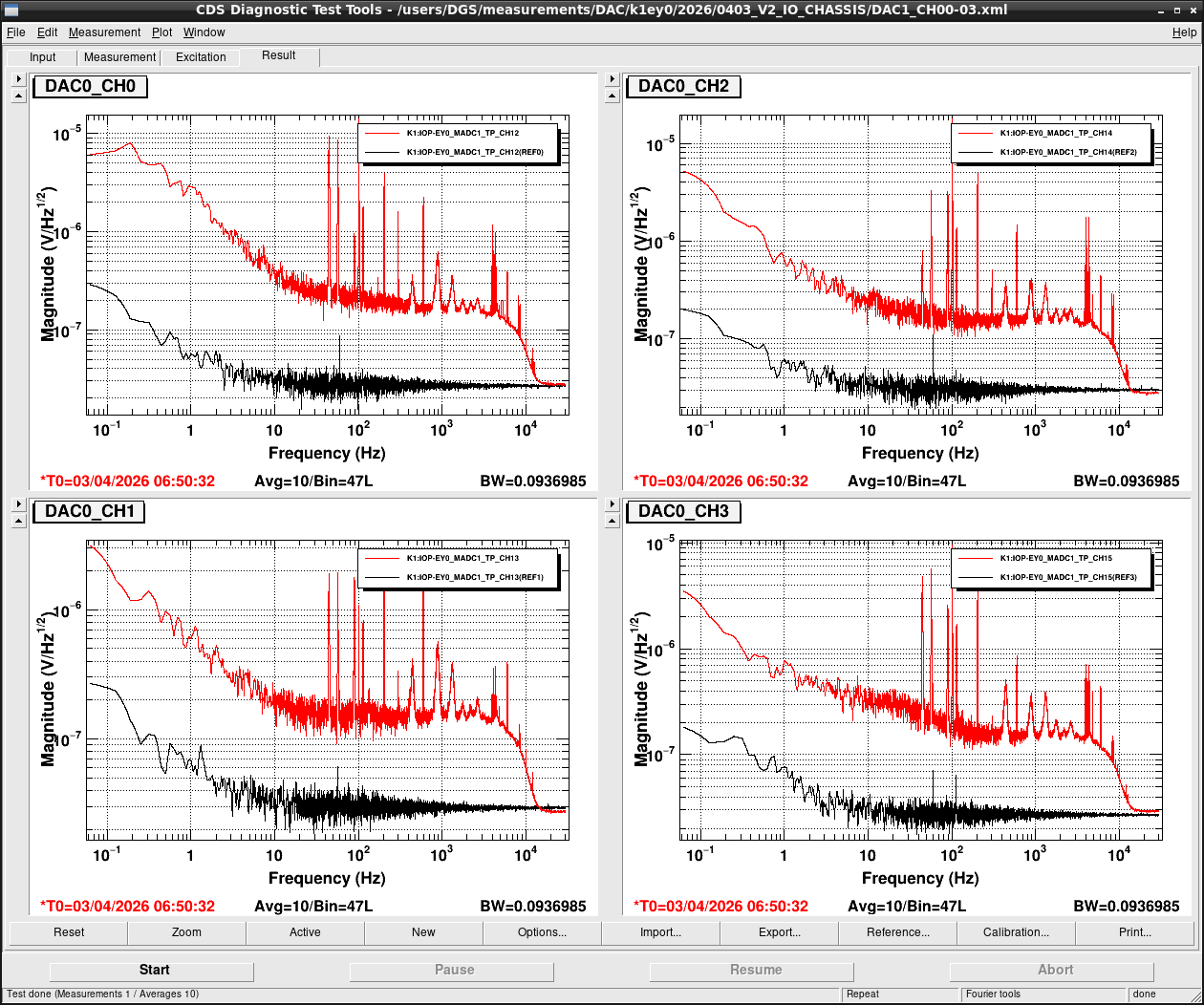
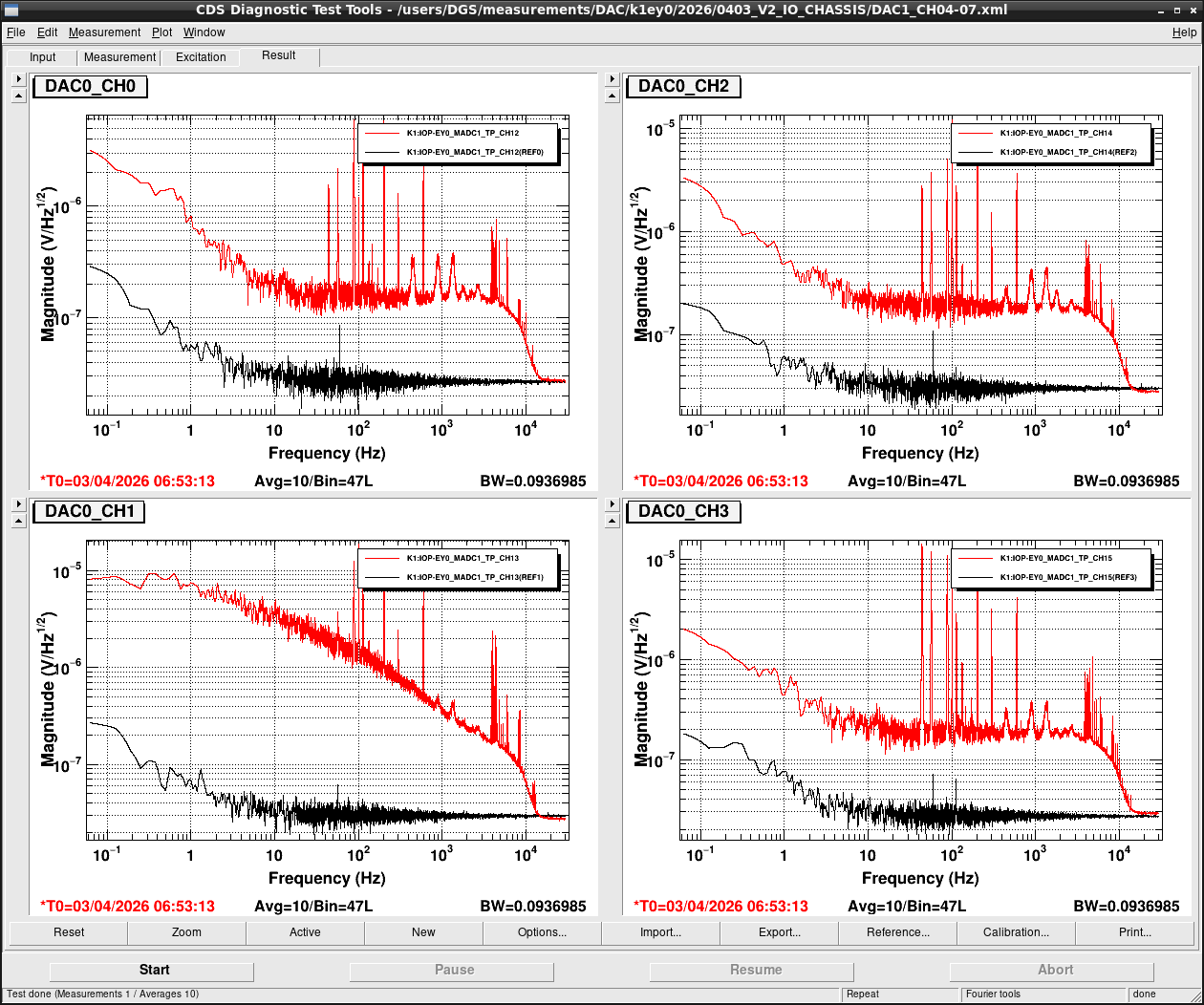
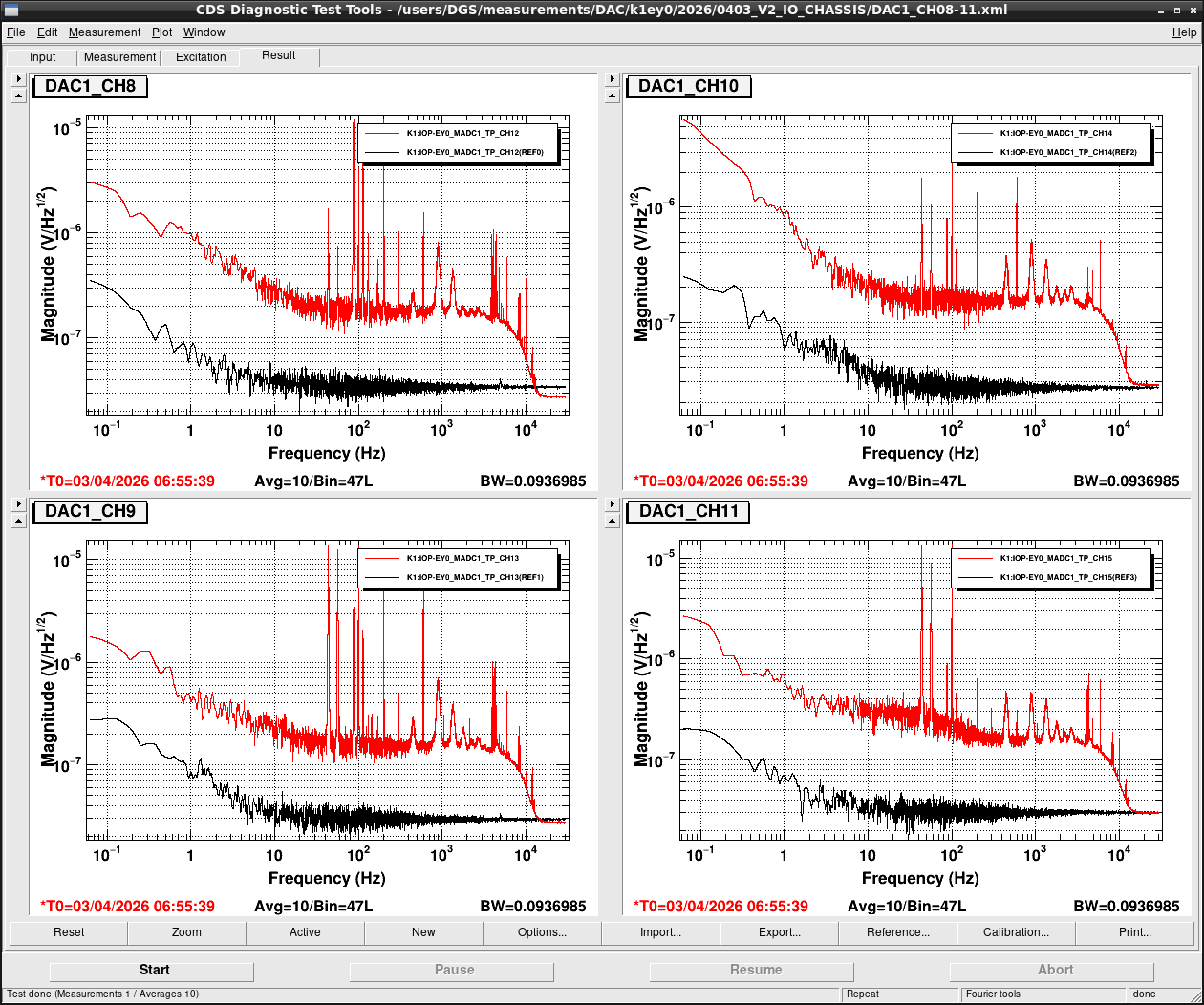
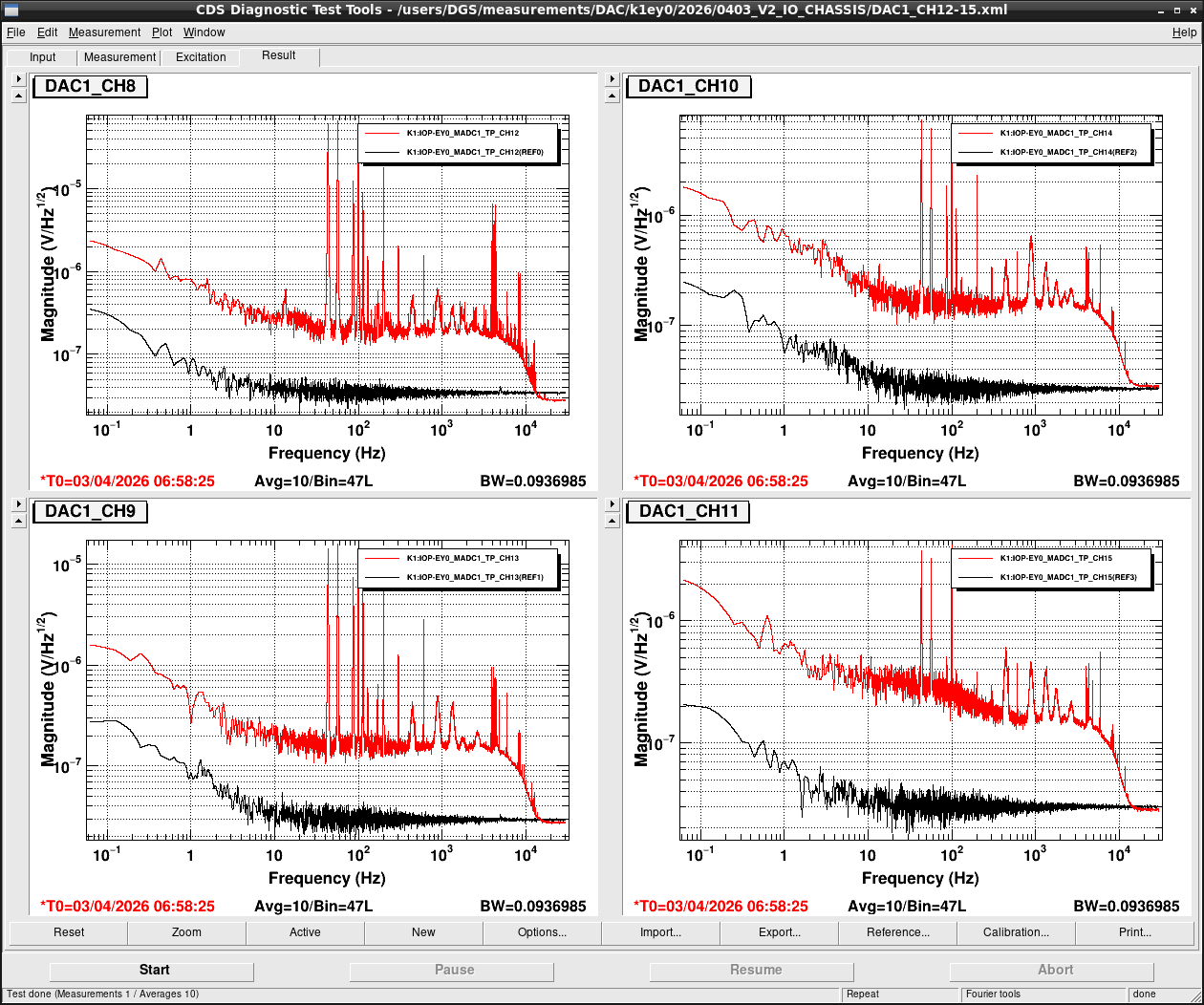
After all PCIe cards were operated properly, noise level was measured for all ADC/DAC channels as shown in attached figures. Measurement configurations were completely same as ones in K1IX1 (klog#36586), K1IY1 (klog#36641), and K1EX0 (klog#36663). Measurement files were stored in /users/DGS/measurements/ADC/K1EY0/2026/0403_V2_IO_CHASSIS/.
RFM board replacement
When we were cleaning all stuffs up at the end of our work, we noticed RFM connection made an error bit. This was because a usage of wrong SFP modules single-mode or multi-mode. At the 1st floor of end stations, RFM fibers were laid by single mode fiber. On the other hand, the new V4 front-end computer which had been used as K1IY0 in the past had a multi-mode RFM board. So we moved single-mode RFM board from the old V3 front-end computer to the new V4 front-end computer and RFM connection came back online and GDS_TP screen showed all green. As the result, a remaining spare RFM board is multi-mode one.
Remaining concern
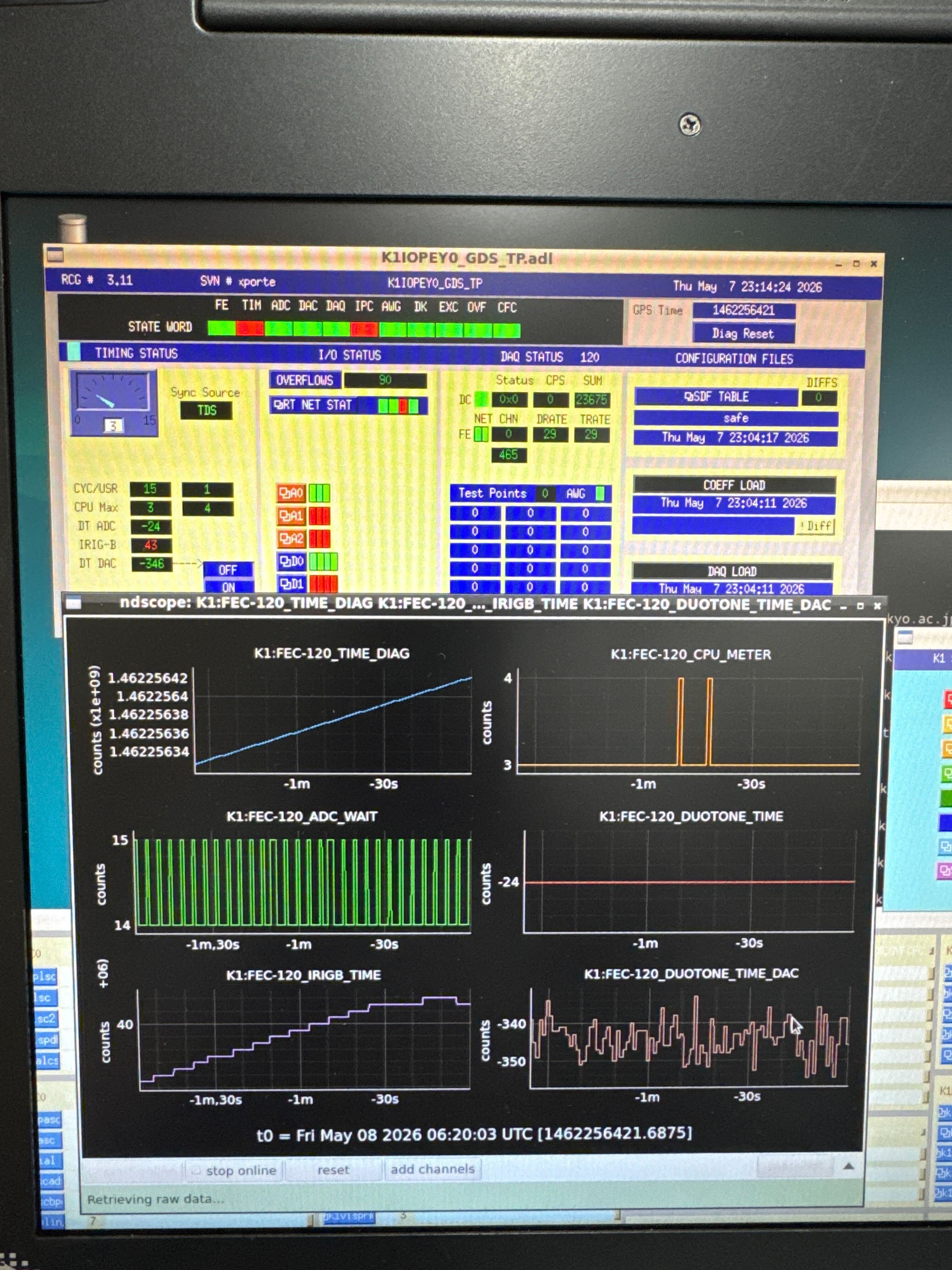
Only remaining concern is that it takes a few hours for synchronizing IRIG-B when a cold boot of the front-end computer is performed. In the past, similar things often occurred when down time became so long and a room temperature changed largely maybe because it took long time to be stable in the temperature of a crystal oscillator of timing slave. On the other hand, in this time, it takes long time even when a down time is only a few seconds. Such a thing wasn't reproduced in the test bench. So we have no idea to solve this issue now.
Fortunately, because this issue doesn't occur when the front-end computer is rebooted (there seems to be some difference between reboot and cold boot), we don't face this issue not so frequently. But reproducing and solving it on test bench is required from the view point of reducing a down time. If it's caused by the environment in the mine, we may need an additional test in the mine in stead of using test bench.


These are the results of verification conducted using the test bench at the SK Computer room.
K-Log#36698
> Remaining concern
> Only remaining concern is that it takes a few hours for synchronizing IRIG-B when a cold boot of the front-end computer is performed. In the past, similar things often occurred when down time became so long and a room temperature changed largely maybe because it took long time to be stable in the temperature of a crystal oscillator of timing slave. On the other hand, in this time, it takes long time even when a down time is only a few seconds. Such a thing wasn't reproduced in the test bench. So we have no idea to solve this issue now.
The abnormal behavior of IRIGB_TIME could also be reproduced in the SK computer room.
We believe the cause lies in the IRIG-B card itself.
Using a test bench that operates normally, when the IRIG-B card (S/N: 3799) was installed, both decreases and increases in the value were observed.
Afterward, the issue still occurred even when replacing the system with the old IO chassis (V1 IO Chassis).
No issues have been observed with the following IRIG-B cards at SK computer room:
02181
3796
02174
3793
02158
02172
=> Tested in slot 2 with full-height configuration; all others are Low-profile
02171
=> Both the yellow and green LEDs light up, and the yellow LED does not turn off (possible connection failure on this card?)
Based on the above observations, we believe this issue is specific to individual IRIG-B cards.
Additional note: We need to consider that this issue is not caused by the IRIG-B card alone, but is occurring in combination with other factors.